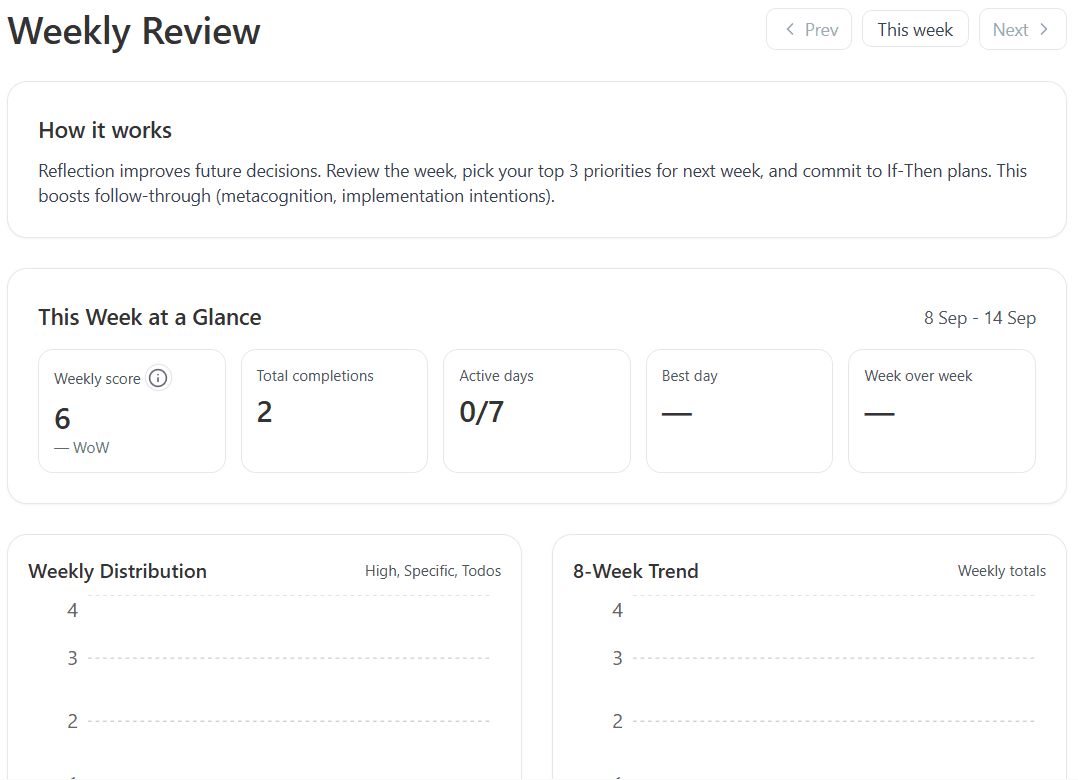
Weekly Review
Review the previous local week by default so you can compare what was planned, what actually happened, and what needs to change for the week ahead.
What it shows
- A Weekly Reset summary at the top: what planned goal sessions and planned items you kept, where planned goal days and planned items slipped, and the easiest next win.
- The page uses a flatter divider-led layout, while the working modules inside each section stay card-based.
- A yearly weekly-review habit window near the top with one dot per review week: green for completed, red for missed, amber for the current open review window, and white for future or not-yet-eligible weeks.
- A tabbed Last Week Truth section that shows items per goal plus an All goals tab.
- A state for each planned item: done in review week, completed later, still being worked on, or still open.
- If you completed work in the review week without a matching schedule row, that completed work still appears in Last Week Truth so the reflection stays honest.
- Those unplanned completions are shown separately and do not inflate the planned completion percentage.
- A tabbed Coming Week Reality Check section that shows items per goal plus an All goals tab.
- Both tab groups default to the first created engaged goal when the page renders.
- Quick stats at the top of each Last Week Truth tab: meant to be completed, completed, and percentage completed.
- Quick stats at the top of each Coming Week Reality Check tab: total to be completed, carried over, and meant for that week.
- Goal summaries and tabs use the real goal title, and fall back to generic wording instead of showing placeholder labels.
- A yes or no reality check so you can decide whether next week still feels achievable before you continue.
- If the answer is no, a repair branch that lets you break down, move, shrink, or drop one unrealistic item.
- Info icons on the repair choices explain what each action will do before you commit to it.
- A saved review snapshot for past weeks, including your week rating, what went well, what did not go well, and your reflection notes.
- Older weeks now behave like archive views: submitted weeks show the saved result for that week, and weeks without a submitted review show a simple not-submitted state instead of the full live review flow.
- Guided Reflection stays visible in the main review flow under the truth and reality sections.
- The next-week planning part of Guided Reflection is one simple field: Plan for the coming week.
- The Weekly Reset card no longer uses shortcut buttons; it stays focused on the review summary itself.
How to finish the review well
Weekly Review is meant to end with one plan correction for next week, not just reflection. Save at least one concrete update before marking the review done:
- A clear plan for the coming week.
If none of those are saved yet, the Mark Review Done button stays unavailable.
If the coming week feels unrealistic, use the reality-check branch to pick one item and choose whether to break it down, move it, shrink it, or drop it. The review then sends you to the most relevant existing surface for that repair type.
The AI helper is not embedded directly inside Weekly Review at the moment. The break-down path opens the relevant goal, action-step, or todo page where the existing helper already lives, and that helper now opens automatically when you arrive from Weekly Review.
If you leave the page before marking the review done, unfinished reflection and next-week planning inputs are restored automatically when you come back to the same review week.
When you return to an older week, saved reflections are shown back to you as a readable snapshot so the review becomes a usable record, not just a one-time form.
Week boundaries
Weeks run Monday to Sunday in your local timezone. The current week rollover anchor is local Monday at 2:00 AM.
Navigation
- Use Prev or Next to move week by week when those directions are available.
- The date range shown between the navigation buttons is the exact review week currently on screen.
- Weekly Review opens on the previous local week by default.
- Use This week to jump to the current local week when you need it.
- The latest review window stays live and editable. Older weeks are archive views.
- The weekly-review habit window uses the selected review week's year, so archive views still show that year's weekly review consistency.
- Use the Habit button to open the yearly weekly-review consistency window.
- Use the Settings button to change the local day for the 10:00 AM reminder and in-app prompt.
- The main review sections are separated by dividers instead of large stacked page cards.
- Use Performance tab Weekly review for the compact summary view.
Reminder behavior
If weekly review reminder email is enabled in Profile Reminder Settings, users receive a reminder at 10:00 AM local time on their chosen weekly review day with a direct link to this page. Users with push enabled also get a push at the same time.
After 10:00 AM local time on that chosen day, an in-app reminder modal can also appear once, with a direct button to open weekly review. This only appears for users with engaged goals that are at least 3 days old, and it does not appear if the weekly review is already marked done for the current week. The once-per-day check is account-level.
Related help
Screenshots