Performance
Use objective feedback to adjust scope, pace, and consistency before small misses become big drift.
Who this is for
Members who want clear signals on whether execution is on pace or needs a weekly reset.
What you should review weekly
- Open Performance Notes when you want to capture a manual reflection and optionally link it to a goal, step, action step, or to-do.
- Inside a note, the detail view now keeps the original note at the top and groups follow-up work into three tabs: AI advice, summaries, and actions.
- AI summaries are now written to be execution-relevant, with emphasis on what happened, what matters, and what the next useful focus should be.
- On Free Basic, AI note buttons remain visible but now open the upgrade modal when pressed instead of blocking the whole page up front.
- Inside the Actions tab, the extractor now aims for smaller, schedulable action drafts rather than broad observations.
- If the AI produces weaker action wording, the items still remain visible to you, but Goaliath flags them as review items and sends an internal alert so the extraction rules can be improved later.
- Each saved action draft can then be scheduled into My Tasks with a required date, start time, and duration.
- Scheduling an extracted action creates a real dashboard task and marks the note action as scheduled, but it does not auto-create a goal-structure to-do.
- Use the Performance tab Weekly review for week-by-week summaries.
- Weeks run Monday to Sunday in your local timezone.
- Use Prev/Next week controls to scroll through previous weeks.
- Planned versus actual time for week and month.
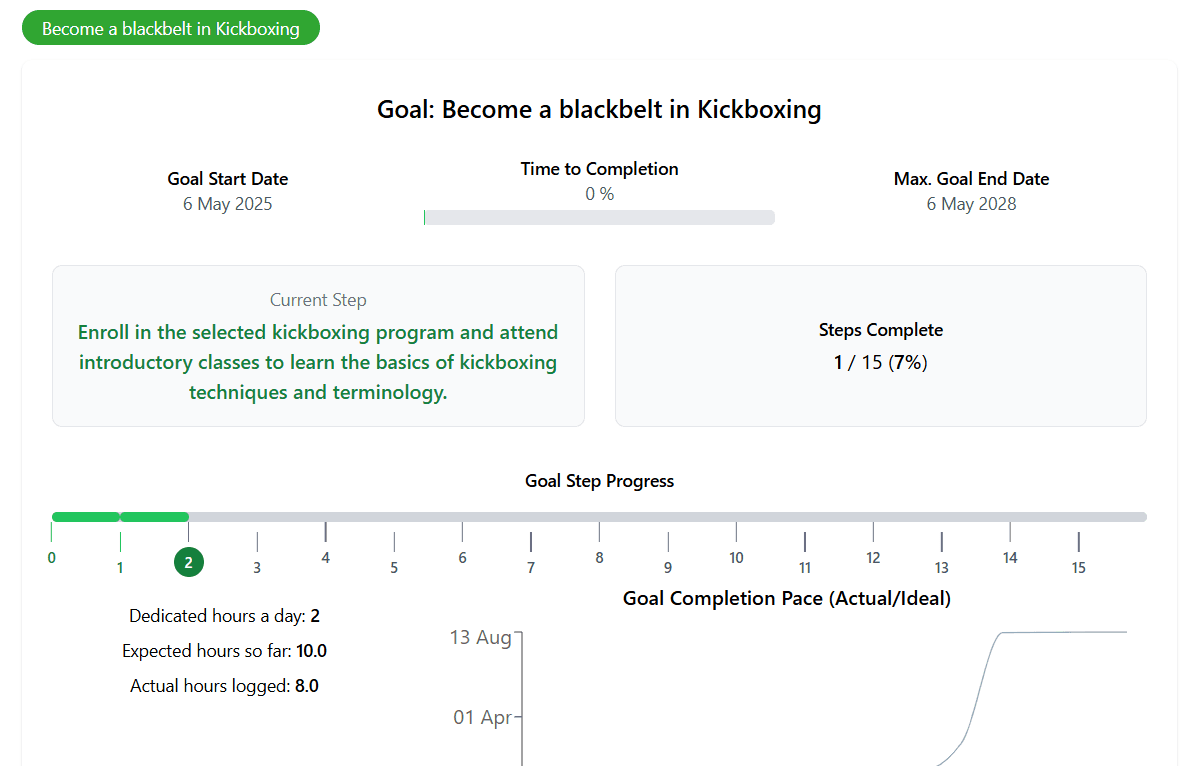
- Goal balance history to see whether actual goal time is ahead of or behind planned commitment.
- Completion reliability and consistency percentage.
- Completed items versus missed scheduled sessions.
- Journal entries and lessons added during that week.
- Use the Discipline + continuity view for per-goal day, week, and year dot tracking.
- The dashboard summary now separates discipline and continuity for each engaged goal.
- The dashboard summary uses the same single, week, and year tracker pattern as the full Streaks page.
- Current labels now use run language for goal work, so the screen distinguishes discipline and continuity without collapsing them into one old streak concept.
- Current continuity and per-goal imbalances.
- On-track forecast and projected variance.
Goal balance history
Goal balance compares planned goal minutes with actual goal minutes by week. Use it to see whether you are steadily keeping up with your commitment, drifting behind, or only catching up in occasional spikes.
How to interpret signals
- Repeated negative variance: reduce scope before adding new goals.
- Low consistency with high minutes: prioritize frequency first.
- Discipline means you completed the planned goal time you committed to for that day.
- Continuity means you kept the goal alive with any real goal-linked completion.
- Purple border means you completed the planned goal time only.
- Light green border means you kept the goal alive with real goal-linked progress, even if you did not hit the ideal full session.
- Dark green fill means you did both on the same day.
- Click the small info icon beside the tracker when you want to open the full dot-logic guide.
- If yesterday shows as missed or continuity-only, the tracker now calls that out clearly and lets you log completed goal time retrospectively until the end of today.
- If a discipline day was logged later, the tracker labels it as retrospectively logged instead of treating it as silent same-day completion, and the weekly goal-time balance updates too.
- When you log yesterday retrospectively from the dashboard tracker, Goaliath refreshes the current dashboard context instead of sending you to Goal Planner.
- When you log today's completed goal work from the dashboard focus card, the rest of the dashboard refreshes too so time balance, discipline, and continuity stay in sync.
- When you log work from a goal-linked task on the dashboard, Goaliath now records the goal time for the selected day as well, so the task state and discipline tracker stay aligned.
- After a goal day changes from missed to discipline, missed to continuity, or a single state into both, Goaliath now shows the same weekly strip immediately so you can see the day update in context.
- One goal always behind: rebalance effort before expanding workload.
- High consistency but flat outcomes: increase task difficulty.
Fitbit integration
- Use the Fitbit integration card at the top of Performance to connect and sync wearable data.
- Open Fitbit insights for readiness, sleep, heart, and activity trends.
- Calendar still shows Fitbit workout events as scheduling context, but Fitbit connection and sync controls now live in Performance.
Common issues and fixes
- Numbers seem stale: refresh the page and verify your latest completions were logged.
- Goal tabs look empty: confirm the goal is engaged and has scheduled sessions.
- Trend looks noisy: switch week/month views and compare against the previous period.
Related help
Screenshots