Profile & Settings
Keep reminders, integrations, and account preferences aligned with how you actually work.
Who this is for
Members setting up notifications, calendar sync, and communication preferences for reliable daily execution.
Key tabs
- Profile: personal context and planning defaults.
- Preferences: reminders, nudges, communication choices, and Goal Stack tool settings for supported goals.
- Integrations: Google and Microsoft calendar connections.
- Account: account-level actions and irreversible operations.
- Owner-only preferences can also appear here for internal dashboard review controls.
Goal Stack settings
Open Preferences to manage Goal Stack tools for each supported health, business, or study goal. This is now the place to turn those built-in tools on or off.
Goal steps pages stay focused on execution, so Goal Stack editing no longer appears above your steps and todos.
Step-by-step reminder setup
- Choose if reminders are enabled.
- Select delivery channel: email, push, or both.
- Use grouped sections (Daily Emails, Weekly Review, Push, Identity) to pick reminder types.
- Choose your local weekly review day for the 10:00 AM reminder and in-app prompt.
- Set your preferred daily plan email hour.
- Save and confirm with the success toast.
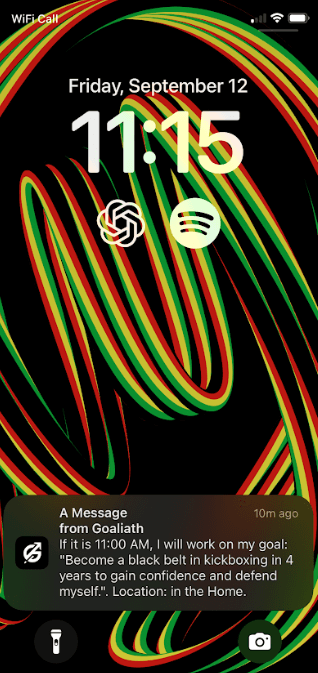
Implementation-intention reminders use one primary channel at send time. Goaliath prefers push when your device is configured correctly, and falls back to email when push is unavailable and the email setting is enabled.
If the implementation-intention modal is enabled, the dashboard can also show the if-then cue shortly before the planned start time while you are already in the app.
What good looks like
- Daily plan emails arrive at expected local time.
- Weekly review reminder email arrives at 10:00 AM local time on your chosen weekly review day.
- Daily plan email includes a direct link to open Today's Actions Coach.
- Push notifications show as permission enabled on your main device.
- Calendar sync reflects your current schedule without manual cleanup.
Owner-only controls
The Goaliath owner account can optionally keep Health Tools, Business Tools, and Study Tools visible in the desktop sidebar even when no matching goals are active. This is useful for reviewing stack pages without changing live goals.
Open Preferences and use Goal Family Tool Links to switch this behavior on or off.
In Account, the owner can also turn on a Fresh start test mode that temporarily makes the product behave like a brand-new trial account for activation testing without deleting the real historical goals.
The Admin Dashboard also includes an owner-only Recent user sessions panel that shows the latest tracked sessions across all users in one feed.
Common issues and fixes
- Email reminders missing: check spam and verify send hour plus timezone.
- Push reminders missing: re-enable permission on the mobile device.
- Push icon looks blank: refresh the app once so your device picks up the latest Goaliath notification icon assets.
- Calendar disconnected: reconnect provider in Integrations and run sync.
Related help
Open the profile menu in the dashboard header and select Help Docs to jump to the full help center.
Screenshots